A comic strip template is a pre-formatted blank layout that divides a page or strip into panels ready for artwork and dialogue. The right template saves time, standardizes your output, and removes the friction of measuring panels from scratch every session.
This guide covers every major comic strip and comic book template format — from a simple 4-panel landscape template to a 6-panel grid you can replicate in Microsoft Word, plus vertical strips, full comic book page layouts, and the fastest way to build any of them as a free printable comic strip template with BlankComic's free online editor.
Free Printable Comic Strip Templates (PDF)
Download a ready-to-print comic strip template in US Letter or A4: three 4-panel strips or four 3-panel strips per page, each with a title line.
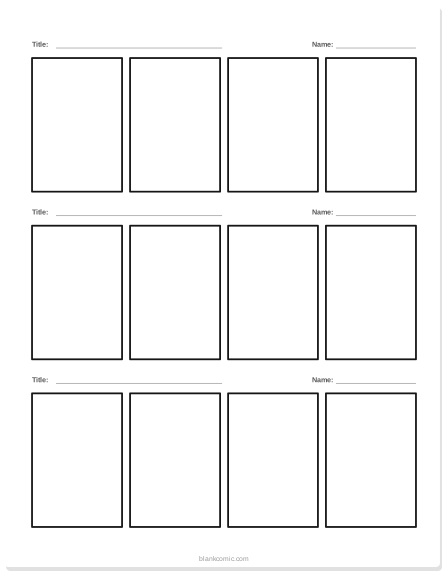
4-panel comic strip template
Three horizontal strips of four panels, with title lines.
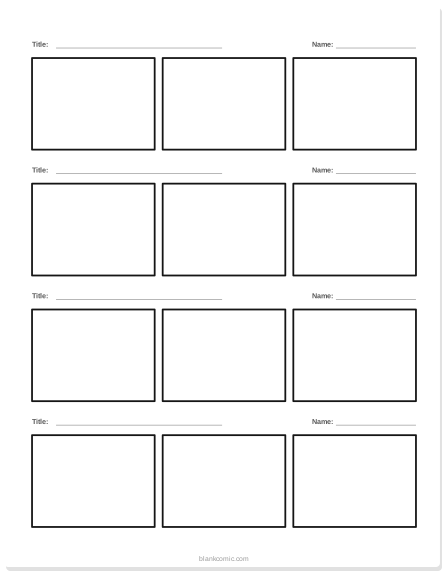
3-panel comic strip template
Four strips of three panels: setup, action, punchline.
The Comic Strip vs. the Comic Book Page: What's the Difference?
Before choosing a template, it helps to know which format you're working in:
| Format | Orientation | Typical Panels | Common Use |
|---|---|---|---|
| Comic strip | Landscape (horizontal) | 3–4 panels in a row | Newspaper strips, webcomics, classroom assignments |
| Vertical comic strip | Portrait (vertical) | 3–6 stacked panels | Mobile webcomics, social media, school projects |
| Comic book page | Portrait | 4–9 panels in a grid | Full comics, manga, graphic novels |
| Square strip | Square | 4 panels (2×2) | Instagram posts, webcomics |
4-Panel Comic Strip Template (Landscape)
The 4-panel comic strip template in landscape orientation is the most widely used format for school projects, humor strips, and webcomics. Think of classic newspaper strips like Garfield or Peanuts — four equal-width panels running left to right on a single horizontal band.
Standard Dimensions
- Total strip size: 10 × 3 inches (landscape Letter) or 297 × 88 mm (A4 landscape)
- Panel count: 4 equal panels side by side
- Gutter (gap between panels): 0.1–0.15 inches / 3–4 mm
- Each panel width: ~2.4 inches / ~70 mm
When to Use It
The 4-panel landscape template is ideal for:
- Classroom comic strip assignments (the standard format most US teachers expect)
- Joke or humor strips — setup (panel 1), escalation (panel 2), twist (panel 3), punchline (panel 4)
- Short narrative sequences that don't need a full page
Open the editor, set your canvas to A4 Landscape, draw 4 equal panels in a row. Use the Align tool to distribute them evenly and set identical gutters. Done.
6-Panel Comic Strip Template for Microsoft Word
Many teachers and students want a 6-panel comic strip template in Word (.docx) so they can type dialogue directly in the document, print it from their school computer, and submit it digitally.
How to Build a 6-Panel Template in Word
Word's native table feature is the easiest way to create a 6-panel comic grid:
- Open a new document. Set the page to Landscape orientation (Layout → Orientation → Landscape).
- Insert a table: Insert → Table → 3 columns × 2 rows. This gives you a 3×2 = 6 panel grid.
- Select all cells. Go to Table Properties. Set all cell heights to 3 inches and widths to equal thirds of the page minus margins (~3 inches each on a Letter page).
- Select all borders and set their color to black, weight to 1.5pt.
- Save as .docx — you have a reusable 6-panel comic strip template in Word.
Word tables are awkward for asymmetric or merged panels. If you need any variation in panel size (a wider establishing shot, a tall action panel), BlankComic's canvas editor gives you complete freedom that Word's table grid simply can't match.
The Better Alternative: BlankComic for 6-Panel Pages
Instead of fighting with Word, build your 6 panel comic strip template printable straight from BlankComic's editor in under a minute and export it as a PDF or PNG. The result is cleaner, prints better, and lets you mix panel sizes — something Word cannot do. For classroom batch printing, BlankComic's multi-page export means you can prepare an entire class set of 6-panel templates in a single PDF.
Vertical Comic Strip Template
A vertical comic strip template runs panels from top to bottom in a portrait layout. This format has exploded in popularity thanks to mobile-first webcomics and platforms like Webtoon, LINE Comics, and Instagram Stories.
Why Vertical Strips Work on Mobile
When someone scrolls through a comic on their phone, they're scrolling vertically. Panels stacked top-to-bottom match the natural scroll direction perfectly. Horizontal strips force the reader to zoom or scroll sideways — which kills engagement. For the exact pixel sizes platforms ask for, see our webtoon canvas size guide.
Vertical Strip Dimensions
| Use Case | Width | Height | Panel Count |
|---|---|---|---|
| Instagram Story | 1080 px | 1920 px | 3–4 vertical panels |
| Webtoon-style | 800 px | Unlimited | 6–12 panels per episode |
| Print (A4 Portrait) | 210 mm | 297 mm | 4–6 stacked panels |
| School project (Letter) | 8.5 in | 11 in | 3–4 stacked panels |
Building a Vertical Strip in BlankComic
Set your canvas to A4 Portrait or a custom square/story size. Draw 4 full-width horizontal panels stacked vertically. Make the top panel slightly taller for an establishing shot, and the bottom panel shorter for a punchline or cliffhanger. Export as PNG for social media or PDF for print.
Comic Book Template (Full Page Layouts)
A comic book template is a full-page layout — not just a strip. These are typically portrait-oriented pages with 4–9 panels in a structured comic book grid layout, designed to be read like a book. If you're making a multi-page comic or a class "book" project, you want a full comic book template, not a strip.
The most popular full-page comic book template formats:
The 2×3 Grid (6 Panels)
Two columns, three rows. The standard layout for US superhero comics and most beginner projects. Easy to fill, visually balanced, and works on both Letter and A4. It is one of the 30 ready-made layouts in BlankComic’s Layout panel.
The 3×3 Grid (9 Panels)
The high-information, dense layout. A blank 9 panel comic template printable at Letter or A4 gives you nine equal panels per page — famously used in Watchmen. Every panel is a focused micro-moment. Challenging to fill but deeply satisfying when done right.
The Hybrid / Asymmetric Layout
One large splash panel at the top paired with 2–4 smaller panels at the bottom. Ideal for opening pages, dramatic reveals, or any moment that needs visual weight. See our full guide to mastering panel composition to learn when and why to break the grid.
Choosing the Right Comic Strip or Comic Book Template
| Your Situation | Best Template |
|---|---|
| School humor strip assignment | 4-panel landscape |
| Teacher handout / class print | 6-panel grid (2×3), A4 or Letter portrait |
| Mobile webcomic | Vertical strip, 800 px wide |
| Instagram/social post | Square 4-panel (2×2), 1080×1080 px |
| Full comic book / graphic novel | US Comic Book page size, asymmetric layouts |
| Beginner (any age) | 3-panel vertical or 4-panel landscape — fewer panels = less overwhelm |
Need pre-made printable pages for a whole class? See our guide to free printable blank comic book pages for teacher-ready PDF formats. And if your students are working on a school project from scratch, our easy comic strip ideas for school article has story starters and tips that pair perfectly with these templates.
How to Use BlankComic as Your Comic Strip Template Maker
BlankComic acts as an instant comic strip template maker and comic book layout generator — you design the template you need and export it print-ready, with no software to install and no account required.
Key features that make template-building fast:
- Snap-to-grid alignment — panels align perfectly without manual measuring
- Split across and down — press H or V to cut a panel into two equal panels with matching gutters
- Multi-page projects — duplicate your template page across an entire booklet
- PDF export — vector-quality, print-ready, any page size
- Keyboard shortcuts — duplicate panels, undo mistakes, zoom to fit in seconds (see our shortcuts guide)
Working in an office suite instead? Follow how to make a comic strip on Google Slides (with a free Slides template) or how to make a comic strip on Google Docs. For vertical Japanese-style strips, see the 4-koma manga template.