Kids make great comic creators. They naturally think in pictures, love dialogue, and have zero fear of blank pages — until the blank page actually appears. The right blank comic book pages for kids remove that hesitation: big, clear panels, age-appropriate sizing, and layouts that feel fun rather than intimidating.
This guide covers age-by-age layout recommendations, free printable formats including PDF-ready pages, and how teachers can use BlankComic to build classroom-ready comic strip templates for elementary students in minutes.
Free Printable Comic Pages for Kids (PDF)
Big panels with writing lines for young kids, and a speech-bubble page for practicing dialogue. US Letter and A4.
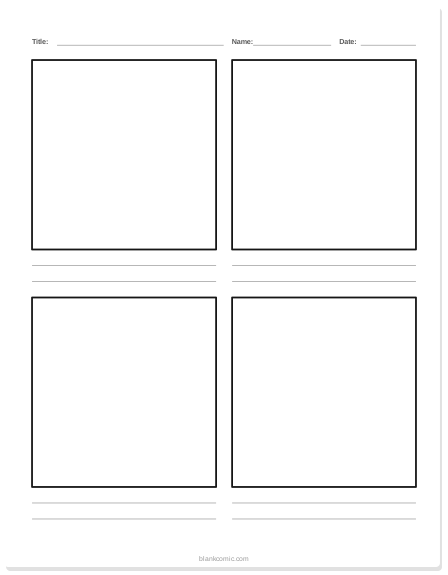
Comic page for kids with writing lines
Four big panels and two lines under each for handwriting.
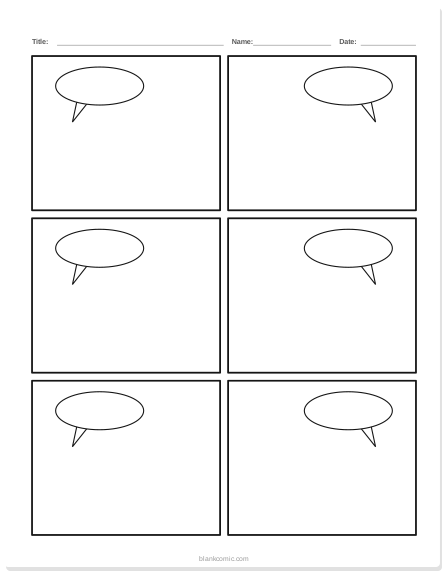
Comic page with speech bubbles
Six panels with empty speech bubbles already drawn.
Why Comic-Making Is Genuinely Valuable for Kids
Comic-making builds skills across multiple subjects simultaneously:
- Literacy: Writing dialogue, captions, and narration builds sentence construction, vocabulary, and voice
- Sequencing: Deciding what goes in each panel teaches narrative order and cause-and-effect thinking
- Visual literacy: Learning to "read" images alongside text — a critical skill in a media-saturated world
- Art confidence: Comics don't require realistic drawing. Stick figures with great dialogue make excellent comics.
- Social-emotional learning: Creating characters and scenarios lets kids explore empathy, conflict, and resolution safely
Age-by-Age Layout Guide
1–2 Panels Per Page, Very Large
At this age, the goal is connection between picture and words — not storytelling structure. Use a single large panel that fills most of the page, or two panels side by side. Leave a wide lined space below each panel for dictated or written text.
- Panel size: fill most of an 8.5×11 page (leave 2-inch writing space at bottom)
- Border: thick (3–4pt) for visibility
- Pre-place one large speech bubble per panel if desired
- Consider landscape orientation — it feels less formal
3–4 Panels Per Page
First and second graders can handle a three-act structure: beginning, middle, end. A 3-panel vertical strip or a 2×2 four-panel grid works well. Leave a speech bubble in each panel as a prompt. Keep panels large — at least 3×3 inches at print size.
- Best layout: 3-panel vertical strip or 2×2 grid
- Speech bubbles: pre-place 1 per panel, empty
- Writing lines: optional under each panel for early writers
4–6 Panels Per Page
This is the sweet spot for comic strip assignments. Students can handle plot structure, character voice, and pacing. A 6-panel grid (2×3 or 3×2) is the standard classroom format. Vary panel sizes to encourage better storytelling — a wide panel for establishing shots, smaller panels for reaction beats.
- Best layout: 6-panel 2×3 grid (portrait) or 4-panel landscape strip
- Introduce mixed panel sizes for more advanced students
- Caption boxes as well as speech bubbles
6–9 Panels Per Page, Student-Designed Layouts
Middle schoolers can design their own panel layouts from scratch. Introduce the concept of asymmetric grids, splash panels, and page turns. At this age, the blank comic book page becomes a genuine creative canvas — not just a worksheet.
- Best approach: student designs their own layout using BlankComic's editor
- Introduce panel composition principles
- Multi-page storytelling projects become viable
Printable Blank Comic Book Pages for Preschool (PDF)
For preschool and kindergarten use, the simplest approach is a single-panel or two-panel page in landscape orientation. Here's exactly how to create a print-ready preschool comic page in BlankComic:
Set Canvas to A4 Landscape
Landscape orientation feels less like a worksheet and more like a drawing adventure for young kids. Open Layout (press L), choose Custom and enter 842 × 595 px for A4 landscape or 792 × 612 px for US Letter landscape (the editor counts 72 px per inch).
Draw One Large Panel
Start from the Full page layout, select the panel and drag its bottom edge up so it fills the top 70% of the page. Leave the bottom 30% empty — this becomes the writing / dictation space.
Add a Big Speech Bubble
Click Bubbles (or press B), choose Speech and drag the bubble into the panel, then make it large. Leave it empty. Young children love filling in "what is the character saying?" — it's one of the most natural entry points into storytelling.
Add a Title Line (Optional)
Add a caption box at the top of the panel with placeholder text: "My Comic: _______". This gives the page a clear purpose and lets kids name their creation.
Export as PDF and Print
Click Download (Ctrl/⌘ E), choose PDF and the Print (300 DPI) quality. Print as many copies as you need; you can also scale it up to A3 in your printer settings for extra-large drawing space.
Add multiple identical pages to your BlankComic project and export as a single multi-page PDF. Print 25 copies in one go — no re-printing the same page 25 times from separate files.
Comic Strip Templates for Elementary Students: Curriculum Tie-Ins
Comic strips aren't just for creative writing class. Here's how elementary teachers use blank comic strip templates across the curriculum:
| Subject | Activity | Best Layout |
|---|---|---|
| ELA / Reading | Retell a chapter or story in 4–6 panels | 6-panel 2×3 grid |
| Science | Show a lifecycle (butterfly, frog) panel by panel | 4–6 horizontal panels, vertical strip |
| Social Studies | Dramatize a historical event or biography | 6-panel grid with caption boxes |
| Math | A character solves a word problem step-by-step | 4-panel strip with dialogue bubbles |
| Social-Emotional Learning | Show how a character handles a conflict/emotion | 3-panel strip: problem → feeling → solution |
| Writing (any) | Story planning / storyboarding before writing a full paragraph | 3-panel strip as pre-write scaffold |
Blank Comic Book for Kids: PDF Download vs. Build Your Own
Static PDF downloads of blank comic pages are convenient — but they lock you into someone else's layout. Here's the honest comparison:
| Static PDF Download | Build in BlankComic | |
|---|---|---|
| Panel layout | Fixed — you get what the creator chose | Fully customizable — any layout you want |
| Page size | Usually one option (Letter or A4) | Presets for US Comic, A4, Manga, Square and Webtoon, plus any custom size (Letter, A3…) |
| Speech bubbles | May or may not be included | Add any type, any position, any size |
| Multi-page | Usually a single page or small set | Unlimited pages in one project |
| Cost | Often free or $1–5 on Etsy/TPT | Always free |
| Watermark | Sometimes watermarked on free versions | Never — no watermark, ever |
Blank Comic Book for Kids: Free PDF — How to Export
Once you've designed your blank comic pages in BlankComic, exporting a printable PDF for kids is one step:
- Click File in the top menu
- Select Export
- Choose PDF
- Save to your device and print
The PDF export is vector-based — it prints at full quality on any printer, at any scale, without pixelation. For home printing, Letter or A4 works perfectly. For a classroom display or bulletin board, scale to A3 for a large-format version.
If you want specific story prompts to go along with these printable pages, our easy comic strip ideas for school projects guide has 20+ story starters organized by grade level.
📚 Want a physical book? The Blank Comic Book for Kids paperback by M M Milton ships from Amazon and includes 107 crisp blank panel pages — no printing required.
Teachers who use Google Classroom can also build strips in Google Slides, and older students can plan video projects with printable storyboard templates.