A blank comic book page with speech bubbles pre-placed does two things that a plain panel grid can't: it reminds the creator where dialogue goes, and it shows beginners (especially kids) exactly how a comic is structured before they start drawing. The speech bubble is the most visually distinctive element of a comic — and seeing it on the page, even empty, unlocks the storytelling instinct.
This guide covers printable blank comic pages with speech bubbles, the four bubble types and when to use each, and how to use BlankComic to create your own bubble-ready blank pages in minutes.
Free Printable Comic Page With Speech Bubbles (PDF)
Six panels with empty speech bubbles already drawn in, ready for characters and dialogue. US Letter and A4.
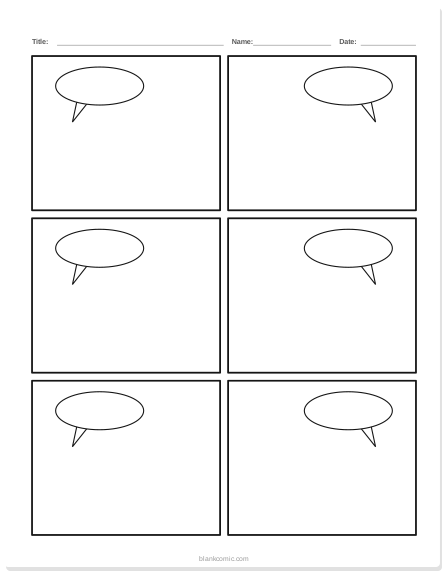
Comic page with speech bubbles
Six panels with empty speech bubbles already drawn.
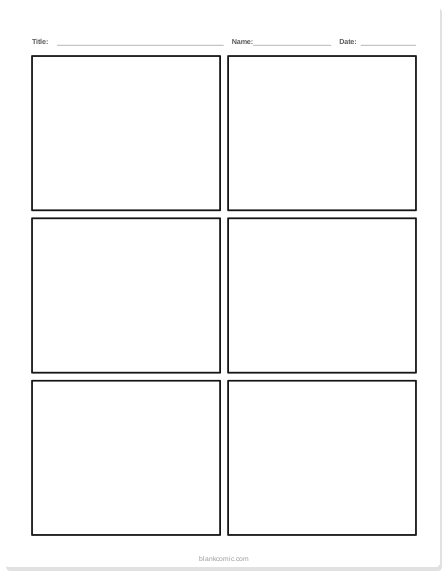
Blank comic page, 6 panels
Three rows of two panels. The classic first page.
Why Pre-Place Speech Bubbles on Blank Comic Pages?
For beginners and younger creators, a completely blank panel grid can be overwhelming. Where does the character stand? Where does the dialogue go? Pre-placing one or two empty speech bubbles per panel answers those questions instantly and lets the creator focus on the story, not the mechanics.
For teachers, a blank comic template with speech bubbles is a powerful classroom tool. Students can:
- Fill in the dialogue for a story prompt without worrying about "how do I draw a speech bubble?"
- Study the difference between dialogue (round bubble) and thought (cloud bubble)
- Retell a historical event, book summary, or science concept in comic form
The Four Speech Bubble Types (and When to Use Each)
| Bubble Type | Shape | When to Use |
|---|---|---|
| Round / Oval | Smooth ellipse with a triangular tail | Normal spoken dialogue — the default for most speech |
| Jagged / Spiky | Starburst or lightning-bolt outline | Shouting, anger, loud sound effects, robot/intercom voices |
| Thought Cloud | Puffy cloud outline with small circles leading to it | Inner monologue, thinking, daydreaming |
| Whisper | Dashed or thin outline, small text | Whispering, asides, secrets, background chatter |
For a deep dive into using each bubble type for maximum storytelling impact, see our guide to speech bubble styles explained.
How to Create a Printable Blank Comic Page With Speech Bubbles in BlankComic
Rather than downloading a static PDF that forces you to accept someone else's layout choices, build your own blank comic book page with speech bubbles in BlankComic. It takes under 5 minutes and gives you exactly the layout you want.
Set Up Your Page
Open blankcomic.com/editor. Choose your page size — A4 or US Letter for printables. Set background to white.
Draw Your Panels
Open Layout (press L) and pick a panel layout, or split panels with H and V. For a beginner-friendly printable, 3–4 large panels works well. For classroom use, 6 panels in a 2×3 grid is standard.
Add Empty Speech Bubbles
Click Bubbles (or press B) and add a speech bubble, then drag it into the first panel. Select it and press Ctrl/⌘ C to duplicate it for the next panel. Leave the text field empty (or type placeholder text like "..." or "[dialogue here]"). This creates a blank comic template with bubbles already positioned — ready to print and fill in by hand, or fill in digitally.
Adjust Bubble Position and Type
Click any bubble to select it. Change its shape in the bubble settings: speech, thought, shout, whisper, narration or caption. Use Tail to point it at the character who is speaking — even on a blank template, proper tail direction teaches good comic fundamentals.
Export and Print
Click Download (Ctrl/⌘ E), choose PDF at Print quality (300 DPI) and print your blank comic template with speech bubbles on any home printer.
Add multiple pages to your project, duplicate the same panel + bubble layout across all pages, then export as a single multi-page PDF. Print a class set in one step. No re-designing the same template for every student.
Blank Comic Pages With Speech Bubbles: Layout Ideas
The Dialogue-Heavy Layout (3 Panels, 2 Bubbles Each)
Three large horizontal panels stacked vertically. Two pre-placed speech bubbles per panel (for two characters in conversation). Ideal for scenes where dialogue drives the story: interviews, arguments, negotiations, or reveals. To keep the reading order clear inside each panel, see how to lay out speech bubbles in webcomics.
The Action-Reaction Layout (4 Panels, Mixed Bubbles)
Four panels — a wide establishing panel at top with a caption box, two side-by-side action panels with jagged speech bubbles (for excitement), and a bottom reaction panel with a thought cloud (inner monologue). This 4-beat layout teaches cause-and-effect storytelling naturally.
The Classroom Narrative Layout (6 Panels, 1 Bubble Each)
Six equal panels in a 2×3 grid, one round speech bubble per panel. Clean, simple, and clear — the best layout for school projects where the teacher wants students focused on story structure, not comic craft. Pairs perfectly with our comic strip ideas for school projects guide.
Using Blank Comic Pages With Bubbles for Story Prompts
Pre-placed speech bubbles in a blank comic become a writing and storytelling scaffold. Here are three ways to use them:
- Dialogue prompts: Pre-fill the first bubble in panel 1 with a sentence starter ("I can't believe you...") and leave all others blank for students to complete the scene.
- Genre swap: Give all students the same blank comic layout with the same speech bubble positions, but different genre prompts (fantasy, sci-fi, mystery). Compare how the same structure supports wildly different stories.
- Retelling exercise: Students retell a chapter from a book or a historical event they're studying, using the blank comic page with speech bubbles to summarize key moments.
For specific story ideas, see our guide to easy comic strip ideas for school projects.
Once the bubbles are filled, the comic lettering guide covers fonts, font size and sound effects.
Frequently Asked Questions
Can I print a blank comic page with speech bubbles from BlankComic?
Yes. Design your template in the editor, export as PDF, and print. The PDF is vector-quality and prints crisply on any home or school printer.
What's the difference between a caption box and a speech bubble?
A speech bubble contains spoken or thought dialogue and points to a character with a tail. A caption box is a rectangular text box usually at the top or bottom of a panel — used for narration, location labels ("Gotham City, 3am"), or internal monologue that doesn't belong to a specific visual character. BlankComic supports both.
Can kids use BlankComic to make their own comic with speech bubbles?
Yes — and it's one of the most common use cases. No account, no downloads, and a simple enough interface for kids 8 and up to use independently. For age-appropriate layouts and tips, see our blank comic book pages for kids guide.